NameJulia Wimmer
FieldDesign · Digitalization · AI
LocationMunich → Innsbruck
Rev.2026-10

Hi, I'm Julia.

I bring user,
business and tech
views together.

From project manager to designer and AI lover. Along the way I found what I enjoy most: structuring complex workflows and information, and turning them into something anyone can understand. Today I’m a T-shaped all-rounder: deep in UX and product design, broad across digitalization, AI, process and business.

StatusLooking for Design, Digitalization & AI roles. Remote-first, or hybrid around Innsbruck.
Write me
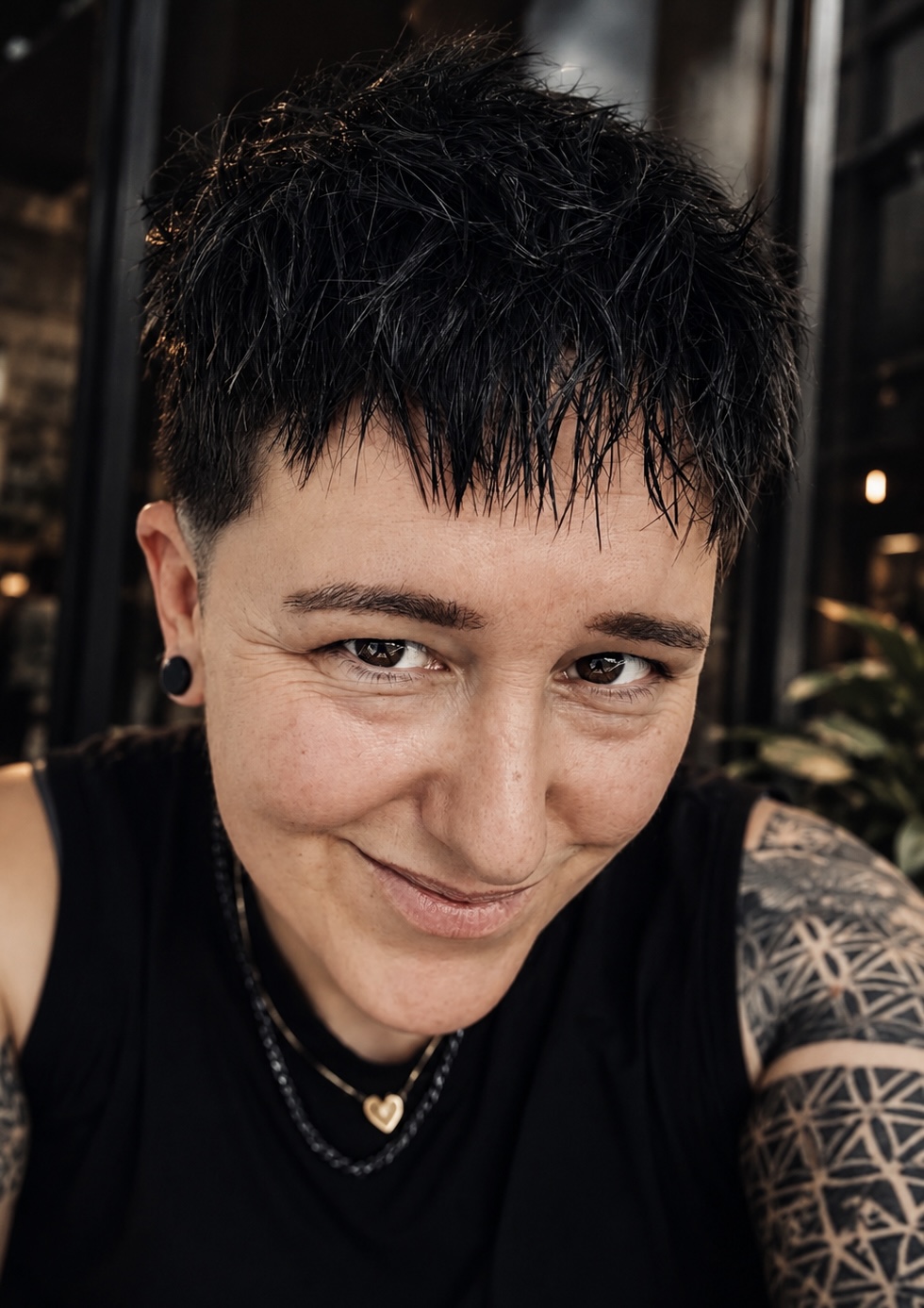
Portrait of Julia Wimmer
Fig. 01 — JuliaDE / EN / ES
15years in IT & connected mobility
9years project manager & product owner
6+years UX designer
3+years founder

F

2026 – now

Founder, Pink Shark Design

My own small studio. I build apps for the fun of it and try out new things with AI. Innensicht is one of them.

E

2018 – now

Senior Consultant: Product Owner → UX Designer, Valtech Mobility

Connected mobility for OEMs and startups: in-car services, expert tools, mobility services. My responsibilities include client projects, pitches and presales, design systems, workflow definitions, IAM and AI team setup.

D

2023 – 2026

Co-Founder & CEO, 2gether App

I co-founded and led the startup, next to my job at Valtech. We released a native iOS and Android social media app. I owned the product from concept and design to release.

C

2012 – 2018

Process & Systems Integrator, Audi AG

Prepared steering committees and product decisions for the cross-brand connected-car project. Built cost transparency and a portfolio management process for budget control.

B

2011 – 2012

IT Consultant, WK IT

Drove internal restructuring and supported strategic purchasing.

A

2007 – 2011

B.A. Business Administration

Grade 1.7, University of applied sciences Landshut.

01

Structuring

Taking something messy and building a system that people actually want to use: boards, spaces, workflows, decisions.

Ref. P-01 Team workflows ↓
02

Trying new things

New tools, new methods, new fields. I would rather build a quick test than talk about it for weeks.

Ref. P-04 Innensicht ↓
03

Adapting to people & projects

Every team, user and project is different. I adapt the approach to fit them, not the other way round.

Ref. P-02 Expert Tools ↓
04

Making information intuitive

Complex topics, shown so that people get them at a glance and can decide. From decision papers to pitches.

Ref. this page

Speed

I get a topic quickly, I learn fast and I execute fast. No long ramp-up.

Structure & overview

I turn complexity into clear plans and keep the big picture in view.

Range

Design, product, tech and business in one person. Fewer handoffs, less friction.

Solutions, fast

I find a way forward and decide instead of getting stuck.

Results

I ship. Remote-first, efficient and dependable.

Calm & warmth

I keep the team steady under pressure and bring people together.

P-01

Team workflows & AI rollout

DigitalizationAI adoptionJira & ConfluenceValtech, internal

I restructured the UX design team's Jira board and Confluence space with workflows, automations, templates and permissions that fit the team and the company, and set up a ticket workflow for one of my projects that the whole company used. I evaluated AI tools for our design workflow and, when Claude was rolled out company-wide, worked out how to bring our brand and design system into it.

Context & problem

The UX design team already had a Jira board and a Confluence space, but they were unstructured and had no workflow that fit how the team or the company worked. Client projects and pitches sat next to admin, organisation, skill development and training without a clear system. At the same time, more and more AI tools promised to speed up design work, without a clear view of which ones were usable and worth bringing into the workflow.

My role

I reworked the team's tooling from the ground up: the structure of the Confluence space and the Jira board, workflows, automations, templates and permissions. For one of my projects I set up a Jira workflow that everyone in the company could use to submit requests. On the AI side, I tested and analysed external tools for the design team, and after the company-wide Claude rollout I worked out how to bring our brand guidelines and design system into Claude Design.

Key decision

Tools only help if people actually use them. So instead of adding more structure on top, I rebuilt it around how the team really works: one place for everything, from projects and pitches to admin and training, with a workflow that matches the team's and the company's processes. Repetitive steps such as creating subtasks run automatically. For the design system in Claude, Figma stayed the single source of truth, so the brand doesn't drift into a second copy that nobody maintains.

Outcome

The whole UX design team managed its work in this setup. For my project, colleagues across the company submitted their requests as tickets, with subtasks created automatically. With the design system in Claude, employees can now create documents in the corporate design themselves, ready to send to clients.

Learnings

Digitalization rarely fails on technology, it fails on adoption. The same thinking I use for products works for internal tools: start with how people really work, remove steps, then automate. And AI only scales across a company when the basics, such as brand, templates and a source of truth, are in place first.

P-02

Expert Tools & Mobility Services

Complex UIFleetAutonomousConfidential

UX for a truck manufacturer's workshop tool: inspections, vehicle analysis and step-by-step repair manuals. It has to work with gloves on and make sense to fleet managers. I also did UI work on autonomous-vehicle services for startups.

Context & problem

The client, a truck manufacturer, wanted to introduce a tool on a tablet used by workshop technicians during vehicle servicing. The existing workflows for inspections, diagnostics and repair guidance were complex, time-consuming and not optimized for real workshop conditions. The challenge was to design a tool that supports technicians wearing protective gloves, while also addressing the information needs of fleet and operations managers who require a broader overview of vehicle status and maintenance activities. Balancing these very different user groups without overcomplicating the experience was the core design challenge.

My role

As the sole UX/UI Designer on the project, I worked directly with the OEM's Product Owner and development team throughout the product design process. I collaborated closely with developers to ensure technical feasibility and smooth implementation while aligning design decisions with business priorities.

Key decision

The core tension was designing one tool for two fundamentally different working modes: technicians who need to execute repair steps fast, often in gloves, with zero tolerance for friction, and fleet managers who need a broader operational overview. Instead of building two separate interfaces, I structured the product around a shared information hierarchy: a stripped-down, high-contrast, large-touch-target layer for in-the-moment repair tasks, and a separate overview layer for fleet-level insight, both drawing on the same underlying data. That meant deliberately cutting lower-frequency features that would have added completeness but slowed down the core repair workflow.

Outcome

The final designs (wireframes, interaction flows and a documented information hierarchy) were handed over to the OEM's development team as implementation-ready assets. As an external design partner, my engagement ended at handover; I don't have visibility into the tool's later rollout or adoption.

Learnings

Designing for two audiences with opposite cognitive needs on one product showed me that "more information" and "better information" are often in conflict. The fleet manager's need for oversight could easily have bled into and cluttered the technician's need for speed. The real design work was keeping those two needs from contaminating each other within a single system, not adding features for either group.

P-03

2gether, a social app

FounderEnd-to-End

I co-founded a startup and led it. We released a social media app.

Context & problem

On today's social platforms, it's surprisingly hard to know, in the moment, who among your friends actually has time and is up for hanging out right now. Plans get buried in group chats, and feeds show what happened yesterday rather than what's possible today. 2gether set out to close that gap: a social app built around real-time availability instead of curated content.

My role

I co-founded 2gether with one co-founder, who provided the funding. I was solely responsible for product and design, from the very first sketch through release and marketing. A single developer was contracted for implementation; everything else, I owned end-to-end, alongside a full-time job. Timeline: 2023–2026.

Key decision

With limited resources, one of the most important calls was resisting feature creep: keeping the product tightly focused on real-time availability rather than expanding into a broader social feature set, so the core idea could be validated with real users as early as possible.

Outcome

The app launched and organically reached several hundred users. Without budget left for marketing, growth stalled, and we've since filed for liquidation.

Learnings

Running product, design and go-to-market solo taught me how much of "shipping" is prioritization under constraint, and confirmed that even a small, dedicated budget for marketing needs to be secured before launch, not after.

2gether app screens showing available friends and upcoming events 2gether splash screen on a phone held in two hands
P-04

Innensicht, built with Claude Code

BuilderHands-onEnd-to-endAIPink Shark Design

A React Native app for self-reflection. It has 37 swipeable "inner parts" cards, a three-stage emotion wheel and a history that stays private on the device. I designed and built it entirely with Claude Code, without Figma, and published it in the App Store and on Google Play. The first version took one afternoon.

Context & problem

Innensicht is a personal project: a mobile app for emotional self-reflection, combining a swipeable deck of 37 "inner parts" cards with a three-stage emotion wheel and private, on-device history. Beyond the product itself, I wanted to test something for myself: could I, as a solo designer with no engineering team, take an idea all the way to a real, submitted App Store build using only AI-assisted development?

My role

Sole designer and builder: brand, UI/UX design and the full build, all directed through Claude Code without Figma, end-to-end through the release in both stores. No team, no agency, no outsourced development.

Process
  1. Designed the brand and screens directly in Claude Code, without Figma: name, a deliberately reduced 3-color palette, logo and the core flows (card deck, emotion wheel, history).
  2. Built the React Native/Expo app with Claude Code as well, so there was no hand-off between design and code.
  3. Iterated on both UI and content structure live.
  4. Finished with App Store prep: app icons, legal pages (privacy policy/imprint), export compliance and privacy declarations, and submission via EAS. All in the same afternoon.
Key decision

User view first. I made it easy to bring the outcomes to a therapist, and I built widgets, reminders and an Apple Health integration so users don't forget to check in. I integrated a second check-in that includes the body. The experience is step by step so it never overwhelms, and it leaves the decision to the user whether to do a step or not. I chose local-only storage (AsyncStorage, no server, no accounts) as a privacy-first stance baked into the product, not bolted on. I used Claude Code as a full development partner rather than a no-code builder or template, to keep the app fully custom.

Outcome

A real app, not a prototype: live in the App Store and on Google Play. Listing, screenshots, privacy questionnaire and pricing are done. Built solo, and the first version was ready for submission after a single afternoon.

Learnings

Proof that a designer without a traditional engineering background can own the entire build when directing AI-assisted development with a clear product and design vision. The bottleneck shifted from "can I code this" to "can I make the right product and design decisions fast", which is where the actual value of the afternoon went.

Innensicht logo with the line Gefühle. Anteile. Du., next to the home screen and a part card of the app
Card 1 of 37: Who is at the helm today? The part Kritiker:in with its quote Pattern insights: the last four weeks as dots and the most frequent parts, calculated locally Body history: where in the body the parts are felt, shown as a heat map 100% private: only on your device, protected with Face ID, export as PDF
P-05

InCar Services

UX ConceptIn-CarOEMConfidential

Services for connected cars, for OEMs like Volkswagen, Audi, Lamborghini, Bentley, Renault and Nissan. Two examples: a smart assistant for van drivers that learns their habits and preferences, and an EV service to reserve parking and pay for parking or charging right from the car.

Context & problem

As part of a connected mobility pitch for OEMs, we explored a smart assistant for van drivers that personalizes the travel experience based on habits, preferences and context. The core idea was to support "van life" users who expect very different things from their journeys: from highly spontaneous travelers who want freedom without planning or logistics overhead, to families traveling with children who need structure, predictability and detailed organization. The challenge was not just personalization, but designing a system that could intelligently reduce cognitive load by taking over planning and coordination tasks, without overwhelming users or forcing them into rigid workflows.

My role

My contributions included:

  • User research and synthesis
  • Definition of key personas and behavioral patterns
  • Customer journey mapping across different travel styles
  • UX concept development for the smart assistant
  • Wireframing key interaction flows
  • Creation of the pitch presentation (storytelling, structure and visual narrative)
Key decision

The central decision was to reject a "feature-based app" model in favor of a behavior-driven assistant that adapts to mindset rather than trip type. Rather than building separate flows for spontaneous and family-style travel, which would have fragmented the product into two apps, we designed one adaptive system that dynamically adjusts three variables: planning depth, information density and proactivity. The guiding principle: only show what's needed for this journey style, and handle everything else invisibly in the background.

Outcome

The concept was presented to OEM stakeholders as part of the pitch and was well received. It validated that a single adaptive system could credibly replace multiple rigid, mode-specific interfaces. As with most pre-sales concept work, I don't have visibility into whether it progressed further internally. What it did produce was a reusable model (personas, adaptive UX logic and a pitch narrative) for framing personalization as cognitive-load reduction in future connected-mobility work.

Learnings

The most important insight was that good personalization isn't about adding options, it's about removing decisions. Spontaneous travelers need trust and invisibility of the system; structured travelers need control and clarity. The real UX challenge was balancing both without splitting the product into separate apps. It reinforced mental load reduction as a primary UX metric in mobility contexts, where users are already cognitively occupied.

Product design & UX

E2E DesignUser researchCustomer journeyWireframes & prototypesDesign SystemsInformation ArchitectureAccessibility (WCAG)UX writingHMI & in-car UXComplex enterprise & tool UIsPersonalization & adaptive systemsCognitive load reductionUsability testing

AI & digitalization

AI UXAI-assisted workflowsAI-assisted developmentAI team setupAI tool evaluationAI rollout & enablementMobile app delivery (iOS, Android)

Process & organisation

Workflow definition & optimizationProcess designKnowledge managementIAM (Identity & Access Management)Jira & Confluence setupWorkflow automation

Product & business

Product OwnershipRoadmappingRequirements analysisProject planning & scopingPortfolio managementAgile deliveryDeveloper handoverStakeholder managementSteering committees & decision papersBudget & cost controlPresales & proposalsPitching

People & communication

Mediation (university course)Team enablement & knowledge sharing

Design & prototyping

FigmaFigma MakeProtoPieCanvaAdobe Creative Cloud

Product & collaboration

MiroJiraConfluenceNotionMicrosoft 365

AI

ClaudeClaude CodeChatGPTLovableFigma AIMicrosoft CopilotAtlassian Rovo

Build & ship

GitHubVisual Studio CodeXcodeAndroid StudioExpoTolgeeApp Store ConnectGoogle Play Console

German

Native

English

C1UNIcert III

Spanish

B1UNIcert II

2026

AI Fluency: Framework & Foundations

Claude Academy (Anthropic) · verify

2026

Claude Code in Action

Claude Academy (Anthropic) · verify

2026

Claude 101

Claude Academy (Anthropic) · verify

2026

Certified Professional in Automotive Human-Machine Interaction

London School of Business and Administration (LSBA)

2024

Online courses

Udemy: Accessibility & WCAG, UX Design Critique, Responsive UX/UI in Figma, UX/UI Design Principles, UX Writing

2022

Certified UX & Usability Professional

Experience Design Institut (XDi)

2012

ITIL® Version 3 Foundation

TÜV SÜD Akademie

Write me